Ergonomics & Comfort · Last updated:
“Good Posture” Is a Lie: The Real Fix for Long Desk Sessions
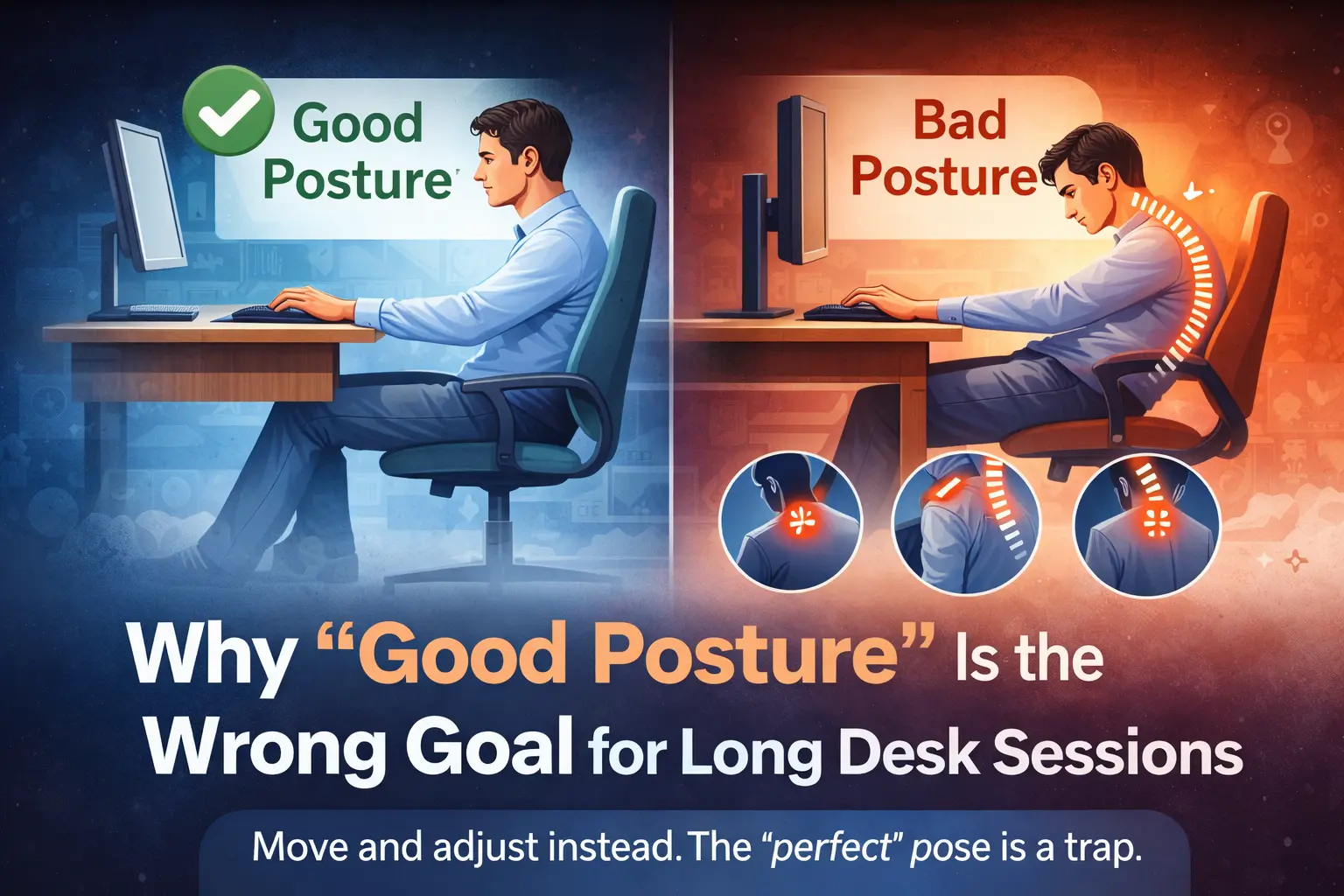
If you sit 6–12 hours, posture isn’t the goal. Your goal is low strain: neutral joints, smart layout, and constant micro-movement.
Quick answer (what to do instead of “good posture”)
For long desk sessions, the winning strategy is not holding a “perfect” posture. It’s cycling through good-enough positions while keeping your joints close to neutral and your setup frictionless. If your desk height, mouse space, keyboard angle, and monitor position force tension, you’ll fatigue no matter how “upright” you sit.
- Neutral joints (wrists, elbows, shoulders, hips) beat “straight back.”
- Variation beats “holding.” Change position every 5–15 minutes.
- Layout beats willpower. Fix desk height, mouse space, keyboard angle.
Table of Contents
- Why “good posture” fails for long desk sessions
- The real goal: low strain, not a perfect pose
- The 5 posture traps that create desk pain
- Setup-first fixes (desk, chair, monitor, keyboard, mouse)
- The micro-movement rhythm that keeps you functional
- One desk, two modes: switching without breaking your body
- 60-second self-checks during a long session
- Key takeaways
- FAQ
- Sources and further reading
Why “good posture” fails for long desk sessions
“Good posture” is sold like a finish line: sit upright, shoulders back, chin tucked, and your problems disappear. That advice collapses in real life because long desk sessions are not a posture test. They are a load management problem.
Here’s the uncomfortable truth: the body hates holding. Even a “correct” posture becomes irritating when you freeze in it for hours. Muscles that should alternate between effort and rest get stuck doing low-level work, blood flow drops, and your brain starts looking for relief—by slumping, leaning, craning, or perching.
So the issue isn’t that you “can’t sit properly.” It’s that the goal itself is wrong. The goal is not one perfect posture. The goal is a system that makes many acceptable postures easy and high-strain postures hard.
If your desk setup forces wrist extension, shoulder elevation, or neck craning, you can “sit up straight” all day and still end up with neck and shoulder pain, wrist pain, and lower-back fatigue.
Related reading on Niterria:
The real goal: low strain, not a perfect pose
Low strain means your joints sit near their mid-range instead of near end-range. End-range is where irritation lives: bent wrists, shrugged shoulders, forward head posture, posterior pelvic tilt, and locked knees (in standing).
A simple definition you can actually use
“Good posture” for long sessions = the posture you can change from easily. If you can’t shift without effort, your setup is trapping you.
What low strain looks like at a desk
- Wrists: mostly straight (not bent up), resting lightly, not anchored hard on the desk edge.
- Elbows: close to your sides (not flared), roughly 90–110°.
- Shoulders: relaxed (not elevated), reaching is minimal.
- Neck: eyes level with the screen; you don’t “hunt” for focus by leaning forward.
- Hips: supported and stable; you can lean back and return without fighting the chair.
Notice what’s missing: “chest up, shoulders back.” That cue often causes over-correction (rib flare, lumbar extension, tension) that feels productive but fails after 30–60 minutes.
The 5 posture traps that create desk pain
Most desk pain comes from repeated micro-strain, not one dramatic “bad posture.” These are the traps that quietly compound over weeks.
Trap #1: “Sit up straight” locks your spine into one strategy
Rigid upright sitting often turns into a constant low-grade brace. That’s not stability; it’s endurance. Endurance runs out.
Trap #2: Your monitor is too low, so your neck does the work
If you keep dropping your chin to look at the screen, your neck extensors get cooked. You’ll compensate by leaning forward (forward head posture) and then blame your chair.
Trap #3: Your mouse is too far away, so your shoulder holds a reach
Reaching for the mouse all day creates shoulder elevation and upper-trap dominance. This is why “ergonomic” mice still fail when the layout is wrong.
Related: Why most ergonomic mice fail for mixed work + gaming.
Trap #4: Keyboard angle forces wrist extension
A positive tilt (front edge lower, back edge higher) encourages wrists to bend upward. Over time, that’s a wrist and forearm fatigue machine—especially when switching between typing and gaming.
Trap #5: You treat discomfort as a discipline problem
When you think pain means “I’m sitting wrong,” you keep brute-forcing posture instead of changing constraints. Comfort isn’t morality. It’s mechanics.
Setup-first fixes (desk, chair, monitor, keyboard, mouse)
If you want long-session comfort, fix the inputs first. Posture is an output.
1) Desk height: the anchor variable
Your desk height decides your shoulder position and wrist angle. If the desk is too high, you shrug. Too low, you hunch.
- Start with elbows roughly level with the desk surface.
- Adjust chair height first. If your feet float, use a footrest (even a stable box works).
- If your shoulders rise when you use the keyboard/mouse, the desk is effectively too high.
Deep dive: Desk height quietly destroys comfort.
2) Mouse space: reduce reach, reduce traps
Mouse space is not a gamer luxury. It’s shoulder health. Bring the mouse closer, center your mousepad zone, and stop “parking” the mouse on a side shelf.
Deep dive: Mouse space vs wrist pain.
3) Keyboard angle: stop feeding wrist extension
For long sessions, aim for flat or slight negative tilt (front edge higher, back edge lower) if possible. The priority is reducing wrist extension while keeping typing accurate.
Deep dive: Keyboard angle causes wrist fatigue.
4) Monitor position: remove the “neck lean”
A simple rule: if you lean forward to read, your monitor is too far or too low, or your font/UI scale is too small.
- Bring the monitor closer before you raise it.
- Increase UI scaling for work apps (this is ergonomics, not weakness).
- Top of screen roughly at eye level is a starting point, not religion.
5) Chair reality: support matters, marketing doesn’t
You don’t need a throne. You need a chair that lets you change positions easily and supports your pelvis and back without forcing one shape.
Related: Chair marketing vs reality.
Posture mindset vs low-strain system (comparison)
| Chasing “good posture” | Building low strain |
|---|---|
| One ideal pose to hold | Many acceptable positions to cycle |
| Willpower-based (“sit up”) | Constraint-based (layout makes it easy) |
| Fix symptoms (brace harder) | Fix inputs (desk height, reach, angles) |
| Short-term “feels correct” | Long-term “feels sustainable” |
The micro-movement rhythm that keeps you functional
Once the setup is reasonable, the next lever is movement frequency. Not workouts. Not stretching marathons. Micro-movements.
The rule: change something every 5–15 minutes
You don’t need to stand up every 10 minutes. You need to stop freezing. Rotate between positions:
- Lean back for 30–60 seconds while reading.
- Scoot slightly closer for typing focus, then return.
- Switch which arm anchors on the armrest (if you use them).
- Uncross legs, recross, or place both feet flat.
Two “break styles” that actually work
Micro-breaks (10–30 seconds): every time you change tasks (tab switch, compile, queue, match search).
Mini-breaks (2–5 minutes): every 45–90 minutes. Stand, walk, refill water, do one easy mobility move.
If you want a dedicated framework, start here: Movement beats chair fixes for lower back pain.
Pros / cons of posture obsession
| Pros | Cons |
|---|---|
| Easy to understand (“sit up straight”) | Encourages rigidity and bracing |
| Can reduce slumping briefly | Doesn’t solve reach, desk height, or wrist angles |
| Feels disciplined | Fails over multi-hour sessions; fatigue wins |
One desk, two modes: switching without breaking your body
Niterria’s core problem: work + gaming on the same desk. Most setups are “okay” for one mode and destructive for the other. The fix is not new gear—it’s a repeatable switch.
Work mode: precision + low reach
- Keyboard centered with your body.
- Mouse close, supported forearm, minimal shoulder reach.
- Monitor close enough to prevent neck lean.
Gaming mode: space + stability (without wrist bend)
- More mouse space, but mouse still not “far right.”
- Keyboard angle still neutral/low extension.
- Chair position that supports small leaning changes, not one locked posture.
If you want the “system” view, read: The dual-use desk system and the pillar guide: Dual-Use Desk Setup Guide.
60-second self-checks during a long session
These checks are fast, non-obsessive, and effective. Do one when you notice irritation.
Check #1: “Are my shoulders floating?”
If your shoulders are elevated, lower the desk input (chair up + foot support) or bring peripherals closer.
Check #2: “Are my wrists bent up?”
If yes, flatten or slightly negative-tilt the keyboard, and pull it closer so you’re not reaching.
Check #3: “Did my head move forward?”
If yes, bring the monitor closer and increase UI scale. Don’t try to “chin tuck” your way out of bad geometry.
Check #4: “Have I moved in the last 10 minutes?”
If no, you’re paying the “freeze tax.” Change position, stand for 20 seconds, or walk to the door and back.
Optional supportive habit: a simple reset routine between tasks. See: The 30-second desk reset.
Key takeaways
- Perfect posture is not sustainable for 6–12 hour desk sessions.
- Low strain wins: neutral wrists, relaxed shoulders, minimal reach, screen that doesn’t demand neck lean.
- Setup first (desk height, mouse space, keyboard angle, monitor distance), then movement rhythm.
- Move often, lightly. Change something every 5–15 minutes; take 2–5 minute breaks every 45–90 minutes.
- Work + gaming needs a switch. One desk can do both if your layout is intentional.
FAQ
Is “good posture” actually bad?
Not inherently. The problem is treating it as a single pose you must hold for hours. For long desk sessions, posture should be dynamic: a range of low-strain positions you rotate through.
What’s the fastest fix if my neck hurts at the desk?
Usually: bring the monitor closer, raise it slightly if needed, and increase UI/text size so you stop leaning forward. Then add micro-breaks.
What’s the fastest fix if my wrists or forearms hurt?
Check keyboard angle (reduce wrist extension), bring the keyboard closer, and make sure the mouse is not forcing shoulder reach. Read: Keyboard angle and wrist fatigue and Mouse space vs wrist pain.
Do I need an expensive chair?
No. You need a chair that supports you without trapping you. The ability to shift positions comfortably matters more than branding.
How often should I take breaks during long sessions?
A practical baseline: micro-movements every 5–15 minutes and a 2–5 minute break every 45–90 minutes. More frequent if symptoms are already present.
Does standing fix everything?
No. Standing can be a useful variation, but “standing all day” just changes which tissues get overloaded. The winning strategy is still variation + low strain.
Sources and further reading
High-quality starting points for ergonomics and occupational health guidance:
- NIOSH (CDC) — workplace ergonomics and musculoskeletal disorder resources
- OSHA — ergonomics overview and injury prevention
- UK HSE — musculoskeletal disorders (MSDs) guidance
Note: This article provides general educational guidance for desk ergonomics and comfort. Persistent or severe pain should be assessed by a qualified clinician.
Comments
You need to log in to leave a comment.