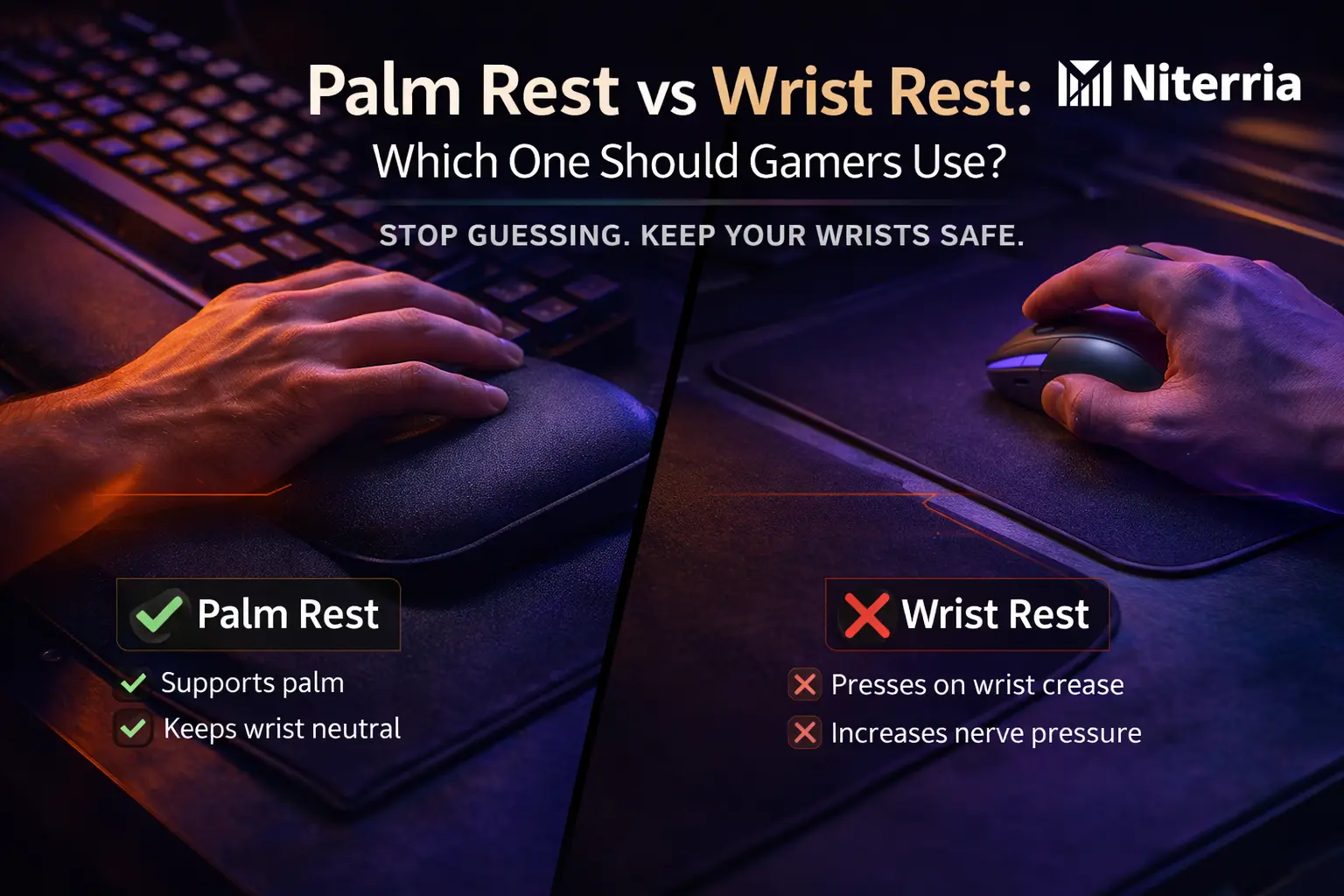
Palm Rest vs Wrist Rest: Which One Should Gamers Use?
If your aim is fine but your wrists feel cooked after 2–6 hours, it’s usually not “weak wrists.” It’s where you’re loading pressure and how your wrist is angled.
This guide tells you exactly what to buy (or skip) for keyboard and mouse use—based on your symptoms and your setup.
Blunt rule that decides most cases:
If the pad presses on your wrist crease while you play, skip it. Choose a palm rest (supports the heel of the hand) or use no rest and fix desk/keyboard angle.
Quick Answer (fast decision):
- Keyboard: Most “wrist rests” are actually palm rests. Use one only if it keeps your wrists neutral and you can still hover while typing.
- Mouse: A mouse “wrist rest” often hurts FPS tracking (it anchors the wrist). Prefer a bigger mousepad + forearm support.
- Buy if you get burning/aching from extension (wrist bent up) and you can’t flatten the keyboard angle.
- Avoid if you get tingling/numbness in thumb/index/middle or pinky/ring (nerve compression signs).
- Best upgrade is often negative tilt or lowering keyboard height, not a pad.
- Common mistake: resting the wrist during movement. Pads are for micro-breaks, not “planting” while playing.
Jump to:
Palm Rest vs Wrist Rest (the terms are backwards online)
Palm rest supports the heel of your hand (the “meaty” part below the palm). This helps you keep the wrist closer to neutral when the keyboard is high or angled up.
Wrist rest (literal) would support the wrist crease. That’s the worst place to load pressure for long sessions because it’s where nerves/tendons pass through tight tunnels.
Reality: 90% of products labeled “wrist rest” are designed to be palm rests. The name is the problem. Your body doesn’t care what the box says.
Fast decision table (Table #1 — use this first)
| If you… | Best choice | Avoid |
|---|---|---|
| Feel wrist pain from bent-up wrists on a high keyboard | Palm rest + reduce keyboard tilt | Hard/raised pad at the wrist crease |
| Play FPS and your aim feels “stuck” when using a mouse pad accessory | No mouse wrist rest + bigger pad + forearm contact | Anchoring the wrist for tracking |
| Get tingling/numbness in thumb/index/middle | Skip rests; unload pressure + neutral wrist; consider medical check | Any pad pressing the wrist crease |
| Type a lot between matches (work + gaming desk) | Palm rest used for micro-breaks; hover while typing | Resting while actively typing |
Decision tree (interactive routing)
Answer in order:
- Where is the pressure?
- On the wrist crease → Stop. Don’t use that rest.
- On the heel of the palm → continue.
- What are you doing most?
- Keyboard-heavy (MMO, MOBA, typing) → palm rest can help.
- Mouse-heavy FPS (tracking/flicks) → skip mouse wrist rests; improve pad + arm support.
- What’s your wrist angle without a rest?
- Wrist bends up (extension) → palm rest or negative tilt fixes.
- Wrist bends down (flexion) → you’re probably too low; raise chair/desk correctly.
- Any numbness/tingling?
- Yes → prioritize unloading and neutral wrist; consider a clinician if it persists.
- No → proceed with fit rules.
Symptom → likely cause → fix (Table #2)
| Symptom (user language) | Likely cause | Fix that actually changes it |
|---|---|---|
| Aching on top of wrist after long sessions | Wrist held in extension (keyboard too high/tilted up) | Flatten/negative tilt keyboard; palm rest only to keep neutral |
| Burning/pressure right at wrist crease | Pad compressing the crease; constant contact | Move contact to palm heel or remove rest; reduce desk edge pressure |
| Tingling thumb/index/middle | Median nerve irritation (often worsened by crease pressure) | No crease pressure; neutral wrist; micro-breaks; seek assessment if persistent |
| Pinky/ring finger numbness | Ulnar nerve irritation (desk edge/angle) | Soften desk edge; forearm support; avoid resting near the wrist/ulnar side |
| Mouse hand feels “locked,” tracking gets worse | Wrist anchored; movement shifts to small tendons | Remove mouse rest; use arm/forearm glide; larger mousepad |
Fit rules (height, angle, and materials)
Rule 1: Your wrist should be neutral, not “propped”
- Goal: wrist looks straight from forearm to hand.
- If the rest makes your wrist bend up or down, it’s the wrong height.
Rule 2: Keyboard rests are for the palm heel
- Contact point should be below the wrist crease.
- Use it for micro-breaks between bursts, not as a permanent anchor while pressing keys.
Rule 3: Mouse “wrist rests” are usually anti-performance
- For FPS, you want range: forearm + shoulder contribute, wrist isn’t pinned.
- If you must reduce load, use forearm support (desk pad / chair arm support) rather than a wrist wedge.
Materials (what matters, what doesn’t)
- Too soft (gel that collapses) can still drive pressure into the crease.
- Too hard can create a hot spot. “Comfortable for 30 seconds” ≠ “safe for 6 hours.”
- Best is stable with a little give, so your hand doesn’t sink into a crease groove.
Micro-check (30 seconds):
- Place hands on WASD position.
- Relax shoulders, elbows at ~90°.
- Look at the side profile: if wrist bends up, reduce keyboard tilt or add palm support.
- Now move the pad 1–2 cm away: if pain drops, you were compressing the crease.
Keyboard vs mouse: you might need different answers
Keyboard (MMO/MOBA/typing-heavy)
Most gamers benefit more here, because keyboards often sit too high or too tilted. A correctly fitted palm rest can reduce extension without compressing nerves.
Best use: rest during downtime, hover during active typing, keep wrists neutral during long holds.
Mouse (FPS/tracking-heavy)
Mouse rests tend to create a “hinge” at the wrist. That concentrates load into smaller tissues and can make you over-flick.
- Better fix: bigger mousepad, more space, slightly lower sens if you’re cramped.
- Comfort fix: soft desk mat for the forearm, not a wrist wedge.
Weighted scoring rubric (choose your option objectively)
Score each option from 0–5 per category. Multiply by weight. Highest total wins.
| Category | Weight | How to score (0–5) |
|---|---|---|
| Neutral wrist | ×3 | 5 = straight wrist; 0 = obvious bend up/down |
| No crease pressure | ×3 | 5 = contact on palm heel/forearm; 0 = crease compressed |
| Performance freedom | ×2 | 5 = tracking/flicks unaffected; 0 = feels “stuck” |
| Heat/sweat control | ×1 | 5 = stays dry; 0 = sticky/hot, forces pressure shifts |
Options to score:
- No rest + flatten/negative tilt keyboard
- Palm rest (keyboard)
- Mouse wrist rest (usually loses for FPS)
- Forearm support (desk mat / better arm placement)
Best picks (if you’re monetizing)
Best pick (most gamers): Keyboard palm rest + flatter keyboard angle
For work + gaming desks where the keyboard sits a bit high and wrists drift into extension.
Best budget: No rest + fix height/tilt + soft desk edge
If you can get neutral wrists by setup alone, that’s cleaner than adding gear.
Best upgrade: Negative tilt / lower keyboard height
Often beats any “rest,” especially if pain is coming from constant extension.
Mini-test: are you using your rest the wrong way?
Score 1 point for each “yes”:
- My wrist crease is touching the pad during movement.
- I feel tingling/numbness during/after sessions.
- I press harder into the pad when I concentrate.
- My keyboard is tilted up on its back legs.
- I have to “reach up” to hit keys (keyboard sits high).
Interpretation:
0–1: probably fine. 2–3: adjust fit/tilt now. 4–5: remove the rest and fix setup first.
Checklist (copy/paste)
- Wrist is neutral (no bend up/down)
- No pressure on wrist crease
- Keyboard is flat or slightly negative tilt
- Mouse movement comes from forearm/shoulder, not a pinned wrist
- Pad used for micro-breaks, not constant anchoring
Next steps (stay on Niterria)
- Pillar: Dual-Use Desk Setup Guide
- Tool: Desk Height Calculator
- Related: Keyboard Angle Not Switch Type Causes Wrist Fatigue
- Related: Mouse Space vs Wrist Pain
- Related: Heavy Gaming Mouse Fatigue
Save this: Bookmark this page or pin it. The tables + decision tree are your “quick diagnose” next time pain creeps back.
Monetization CTA (soft): If you want the fastest win, start with the Desk Height Calculator and fix height/angle before buying pads.
FAQs
Is a wrist rest bad for carpal tunnel?
Anything that presses into the wrist crease can aggravate symptoms. If you suspect carpal tunnel (thumb/index/middle tingling), prioritize neutral wrist + removing crease pressure. If symptoms persist or worsen, get assessed.
Should your wrists touch the rest while typing or gaming?
Ideally, no during active movement. Use a palm rest as a parking spot between bursts. Constant contact encourages compression and “anchoring.”
Palm rest height: how tall should it be?
Tall enough to keep wrists neutral, not tall enough to bend them down. If your keyboard is thick/high-profile, you usually need a slightly taller palm rest than with low-profile boards.
Do pros use wrist rests?
Some do on keyboards, fewer do on mice for FPS. The deciding factor isn’t “pro vs casual”—it’s whether the pad keeps the wrist neutral without compressing the crease or restricting motion.
Common mistake that makes wrist rests worse?
Planting the wrist and moving only fingers. That concentrates load into smaller tendons. You want movement distributed across the arm, with the wrist staying neutral.
What if my desk is too high and I can’t change it?
Then a palm rest can be a practical patch—if it prevents extension and avoids crease pressure. Also consider lowering keyboard height (tray) or flattening/negative tilt.
Is gel better than foam?
Not automatically. Gel that collapses can “bottom out” and still compress the crease. Pick stability + comfort, and make sure contact sits on the palm heel, not the crease.
When is pain a red flag?
Persistent numbness/tingling, weakness, dropping objects, or pain that escalates week to week. Don’t “optimize” forever—get checked if it doesn’t settle with unloading + neutral positioning.
Hard CTA: Want the cleanest next move? Use the Desk Height Calculator, fix height/angle first, then buy a palm rest only if neutral wrists still aren’t happening.
Comments
You need to log in to leave a comment.